
Stop Paying for Digital Paint Color Palettes—Try This Instead
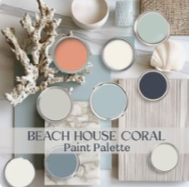
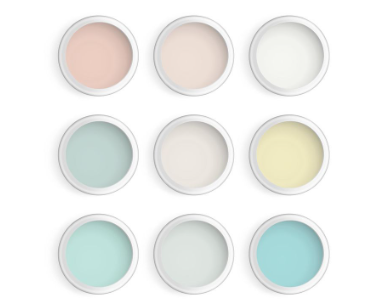
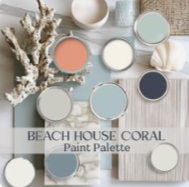
Have you ever been scrolling through Pinterest or Etsy and found a room with the perfect paint color, only to discover that you have to pay to learn the name of it?
Before purchasing a digital paint-color palette, try finding the colors yourself. With a screenshot, ChatGPT and a little hands-on experimenting in Canva, you can create a similar palette without paying someone simply to provide a list of paint names.
ChatGPT can analyze images uploaded to a conversation and answer questions about what it sees.
Step 1: Take a Screenshot
Take a clear screenshot of the room, paint swatch or color palette you love.
Try to choose an image with good lighting and as little filtering as possible. Lighting, shadows, editing and different screens can all change how a color appears, so the result should be treated as a close visual match, not a guaranteed exact identification.
Step 2: Upload the Picture to ChatGPT
Upload your screenshot and ask ChatGPT to find similar paint colors from the store and brand you prefer.
Here is a prompt you can copy:
What are the closest paint-color matches to the colors in this picture? Please use Behr paint colors available at The Home Depot. Include the color names and color codes.
You can replace the brand and store with whichever one you prefer:
- HGTV Home by Sherwin-Williams at Lowe’s
- Sherwin-Williams
- Behr at The Home Depot
- Benjamin Moore
- Valspar at Lowe’s
You can also ask ChatGPT to focus on one particular area:
What is the closest Sherwin-Williams paint color to the blue wall in this picture?
Step 3: Ask for Coordinating Colors
Once you find a color you like, you can ask ChatGPT to build an entire palette around it.
Try asking:
What colors from the same brand would coordinate well with this paint color? Please include a warm white, a neutral, an accent color and a darker contrasting color.
You could also be more specific:
Create a tropical coastal palette using this aqua color. Add a creamy white, coral, blush pink, terracotta and a deeper blue-green from the same paint brand.
This gives you a starting point for choosing wall colors, trim, furniture, curtains and decorative accents.
Step 4: Put the Colors Together in Canva
This is where a little hands-on creativity can help you make a better decision.
Sometimes I visit the Lowe’s or paint-brand website and take screenshots of the colors I love. I upload those screenshots into Canva, place each color inside a square and arrange them side by side.
Seeing the colors together makes it much easier to decide whether the palette feels balanced.
You may discover that:
- One color is too bright.
- Two colors are too similar.
- The white looks too yellow or too gray.
- The accent color needs to be warmer.
- The darker color overpowers the rest of the palette.
You can continue changing the colors until the combination looks right to you.
Step 5: Test the Palette With Your Own Furniture and Decor
You can also use Canva to see how a paint color might look with items you already own.
Take a picture of your:
- Table
- Curtains
- Sofa
- Bedding
- Rug
- Cabinets
- Artwork
Remove the background in Canva when necessary, and place the item over a large square filled with your chosen paint color. This creates a simple digital mood board and helps you see whether the paint coordinates with your furniture and decor.
It will not show exactly how the paint will look in your room, but it can help you eliminate colors that clearly do not work.
Always Verify the Color Before Painting
A screenshot cannot provide a perfectly accurate paint match. Phone screens, computer monitors, artificial lighting, sunlight and photo filters can all affect how a color appears.
After narrowing down your choices, look at the official paint chips in the store. For a large painting project, purchasing a small sample is still a smart idea. Paint a test area and look at it during the morning, afternoon and evening before committing to the full color.
The goal is not to skip proper paint testing. The goal is to avoid paying for a basic digital list of suggested paint colors when you can easily create your own starting palette.
Save Your Money and Get Creative
You do not need to be a professional designer to experiment with color. Take a screenshot, ask ChatGPT for close paint matches, compare the colors in Canva and test them with pictures of your own furniture.
Do a little hands-on work before purchasing a digital palette. You may save money, learn more about the colors you truly love and create a palette that is better suited to your own home.
